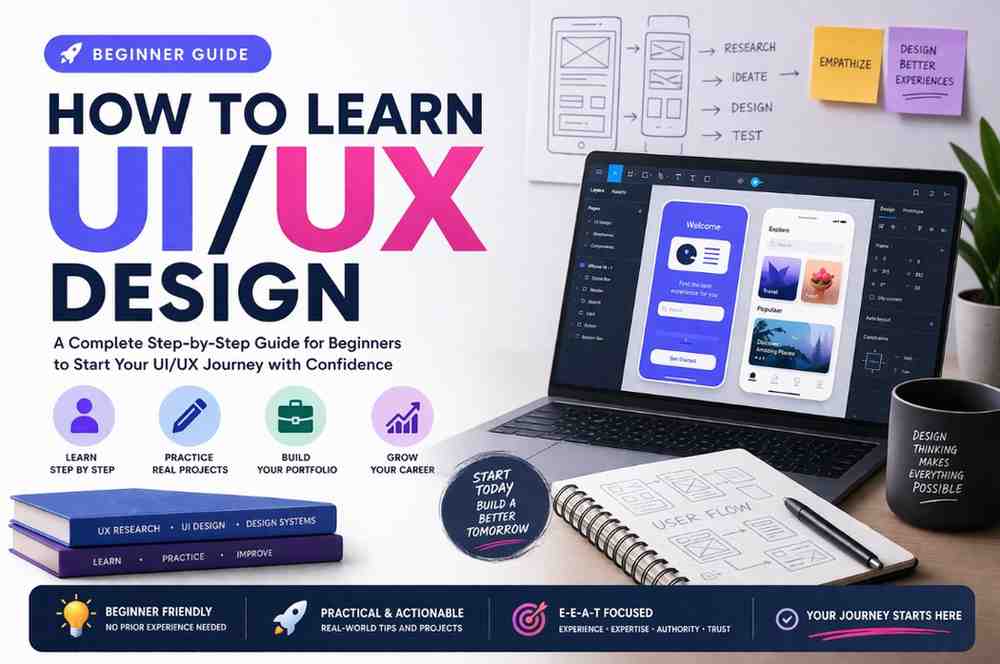
How to Learn UI/UX Design: Complete Starter Guide for Beginners (E-E-A-T Focused)
UI/UX design is not just about making things look attractive—it’s about solving real user problems through design. In today’s competitive digital space, businesses succeed when users can easily interact with their products. That’s why UI/UX designers are in high demand globally.
This guide will help you build a strong foundation, gain practical experience, and develop credibility using E-E-A-T (Experience, Expertise, Authoritativeness, Trustworthiness)—which is important for both your career and your website’s SEO.
1. Understanding UI vs UX (Start with Basics)
What is UI (User Interface)?
UI (User Interface) is everything a user visually interacts with on a screen. It includes buttons, icons, colors, typography, images, spacing, and layout structure.
Why UI Matters
A well-designed UI creates a strong first impression. Users often decide within seconds whether they want to stay on a website or app. Clean layouts, readable fonts, and attractive color schemes make users feel comfortable and engaged.
Example
If a mobile app has cluttered buttons, poor color contrast, and unreadable text, users will leave—even if the functionality is good.
What is UX (User Experience)?
UX (User Experience) focuses on how a user feels while interacting with a product. It ensures the product is easy to use, efficient, and solves the user’s problem.
Why UX Matters
Good UX reduces confusion, improves usability, and increases user satisfaction. It also helps businesses by improving conversion rates and user retention.
Example
If a user can complete a purchase in 3 simple steps instead of 10, that’s good UX.
UI vs UX: Key Difference
- UI focuses on appearance
- UX focuses on usability
👉 A successful product needs both—good design and smooth experience.
2. Build Strong Foundations (Experience + Expertise)
Learn Core Design Principles
Understanding design principles helps you create structured and visually appealing layouts.
Key Principles Explained:
Contrast
Helps highlight important elements like buttons or headings by using different colors or sizes.
Alignment
Ensures all elements are properly placed, making the design look clean and organized.
Hierarchy
Guides users’ attention by arranging elements based on importance (e.g., headings larger than text).
Spacing
Improves readability by giving elements room to breathe.
👉 Without these principles, designs look messy and confusing.
Understand Color and Typography
Color Theory
Colors communicate emotions. For example:
- Blue = trust
- Red = urgency
- Green = growth
Choosing the right colors improves user engagement and brand identity.
Typography
Typography is not just about fonts—it’s about readability and communication. Good typography ensures users can easily read and understand content.
Learn UX Laws and Accessibility
UX Laws
These are psychological principles used in design:
- Hick’s Law: More choices = slower decisions
- Fitts’s Law: Bigger buttons = easier to click
Accessibility
Design should be usable by everyone, including people with disabilities. This includes proper contrast, readable fonts, and keyboard navigation.
👉 Accessibility builds trust and improves usability.
3. Learn UI/UX Design Tools
Popular Tools for Beginners
Figma
Figma is widely used because it is cloud-based and allows real-time collaboration.
Adobe XD
Great for prototyping and interface design.
Sketch
Preferred by many Mac users for UI design.
What to Practice in Tools
Wireframing
Creating simple layouts to plan structure before adding visuals.
UI Design
Adding colors, typography, and images.
Prototyping
Creating clickable designs to simulate real interactions.
👉 Tools help you execute ideas, but concepts guide your decisions.
4. Follow a Structured Learning Path
Step-by-Step Roadmap Explained
Step 1: Learn Theory
Understand UX principles and design basics before designing.
Step 2: Study Inspiration
Analyze designs from platforms like Dribbble to understand trends and creativity.
Step 3: Practice Designs
Start with simple layouts and gradually improve complexity.
Step 4: Learn Tools
Apply your knowledge using Figma or similar tools.
Step 5: Build Portfolio
Showcase your best work professionally.
Why Structure is Important
Without structure, beginners often feel lost. A roadmap helps you track progress and stay consistent.
5. Learn by Doing (Experience is Key for E-E-A-T)
Work on Real Projects
Practical experience is the most valuable learning method.
Example Projects:
- Design a food delivery app
- Create an e-commerce website
- Build a dashboard UI
Redesign Existing Apps
Pick popular apps and improve their design. This helps you identify real UX issues and learn problem-solving.
Solve Real Problems
Instead of focusing only on visuals, think:
- What problem am I solving?
- How will this help users?
👉 This mindset builds real experience and expertise.
6. Understand UX Research (Build Expertise)
What is UX Research?
UX research helps you understand user needs, behaviors, and pain points.
Methods Explained
User Personas
Create fictional profiles representing your target users.
User Journey Mapping
Shows how users interact with your product step-by-step.
Surveys & Interviews
Collect real feedback from users.
Why Research Matters
Design based on assumptions often fails. Research ensures your design decisions are accurate and effective.
7. Create Case Studies (Show Authoritativeness)
What is a Case Study?
A detailed explanation of your design process.
Detailed Structure
Problem
Define the user’s issue clearly.
Research
Explain your findings.
Ideation
Show your thought process.
Design
Display wireframes and final UI.
Testing
Show improvements based on feedback.
Why Case Studies Matter
They show employers and clients that you understand design deeply—not just visually.
8. Build a Strong Portfolio (Trustworthiness Factor)
What Makes a Portfolio Strong?
- Clear projects
- Detailed case studies
- Clean UI
- Easy navigation
Pro Tips
- Avoid too many projects (quality > quantity)
- Use real-world examples
- Keep design simple and professional
👉 A strong portfolio builds trust and increases job opportunities.
9. Learn Design Systems and Consistency
What is a Design System?
A system that includes reusable components and guidelines.
Why It’s Important
- Maintains consistency
- Saves time
- Improves collaboration
Example
Using the same button style across all pages improves user familiarity.
10. Stay Updated with Trends
Examples of Trends
- Minimal UI
- Dark mode
- Micro-interactions
Important Advice
👉 Don’t follow trends blindly—always prioritize usability.
11. Get Feedback and Improve
Why Feedback Matters
Feedback helps you see mistakes you might miss.
How to Use Feedback
- Accept criticism positively
- Improve designs step-by-step
12. Learn Basic Psychology (Secret to Better UX)
Why Psychology is Important
Design is about understanding users, not just visuals.
Key Concepts Explained
- Cognitive load: Too much information confuses users
- Decision-making: Simpler choices improve usability
13. Practice Daily (Consistency Builds Expertise)
How to Practice Effectively
- Set daily goals
- Work on small tasks
- Track your progress
Result
Consistency improves speed, creativity, and confidence over time.
14. Learn Basic HTML & CSS (Optional but Powerful)
Why It Helps
Understanding code makes your designs more practical and developer-friendly.
15. Build Your Personal Brand (Boost Authoritativeness)
How to Do It
- Share your work
- Post regularly
- Write blogs
Result
You gain visibility, credibility, and opportunities.
16. Understand E-E-A-T in UI/UX Career
Experience
Work on real projects and build practical knowledge.
Expertise
Understand design deeply.
Authoritativeness
Share your work and knowledge.
Trustworthiness
Maintain consistency and professionalism.
17. Common Mistakes Beginners Should Avoid
Common Errors Explained
- Ignoring UX → leads to poor usability
- Copying designs → no real learning
- Skipping research → weak solutions
18. Free Resources to Learn UI/UX
Best Platforms
- Google UX Course
- YouTube tutorials
- Coursera
19. Career Opportunities in UI/UX
Roles Explained
- UI Designer → focuses on visuals
- UX Designer → focuses on experience
- Product Designer → handles both
20. Final Thoughts
UI/UX design is a skill that grows with time and practice. Focus on learning fundamentals, gaining experience, and improving continuously.